IBackup - online backup and online storage Support


IBackup for iOS and Android

 
FAQs  
 
Download Download


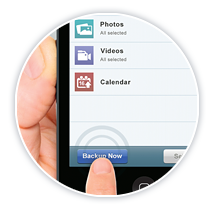
Access the IBackup application on your iOS and Android devices to backup photos and videos; share with friends and contacts.

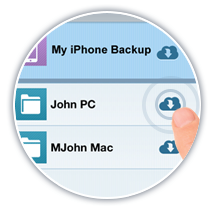
Use the same IBackup account to safely backup data on your PC / Mac and view files / folders from your iOS and Android devices.


Related Link
Screenshots
FAQs


  Features

  • Backup photos / videos
    Backup your photos and videos directly from the gallery or capture it live before backing it up
  • Share files / folders
    Securely share your files / folders with permission based settings
  • Manage Data in your account
    Manage data present in your account and perform all file / folder operations like cut, copy, rename, paste, delete, etc.
  • Faster access
    Search your account for files / folders. Add shortcuts for quick access on your iOS device.

Requirements

  • iOS - Requires iOS 4.0 or greater. Compatible with iPhone, iPod Touch and iPad.
  • Android - Version 2.1 and above. Supports IBackup accounts created after 10th August 2011.


Mobile Access Access your backed up data via other handheld devices

Log into your IBackup account at http://www.ilite.com from your handheld devices to browse and view files / folders, save it to a local device or share them with associates.